
Download Privacy Eraser – privacy, eraser, secure, tool, utility, clean, history, cache, cookies, temporary files, recent documents, free, delete, protect, data, computer, browser, optimize, space, performance
Overview
Privacy Eraser is a productivity-focused mobile application designed to help users maintain digital privacy by securely removing traces of their online and system activity. The app targets individuals who prioritize data protection and want to ensure that no residual information—such as browsing history, cache files, cookies, temporary files, or recent documents—remains on their devices. This is particularly valuable in shared or public environments where privacy breaches could lead to sensitive data exposure. The app serves as a utility tool for both casual users and privacy-conscious individuals seeking to minimize digital footprints. While the developer, Privacy Eraser, is known for similar desktop software, no specific background information was provided regarding the mobile version’s development history or team expertise. Real-world use cases include preparing a device for resale, maintaining privacy on shared workstations, or simply ensuring that no record of personal browsing remains after sessions. In the broader app ecosystem, Privacy Eraser fills a niche for lightweight, focused privacy tools that do not rely on cloud synchronization or invasive permissions. Its presence underscores growing user demand for transparent, on-device data management solutions that prioritize security without complexity.Key Features & Functionality
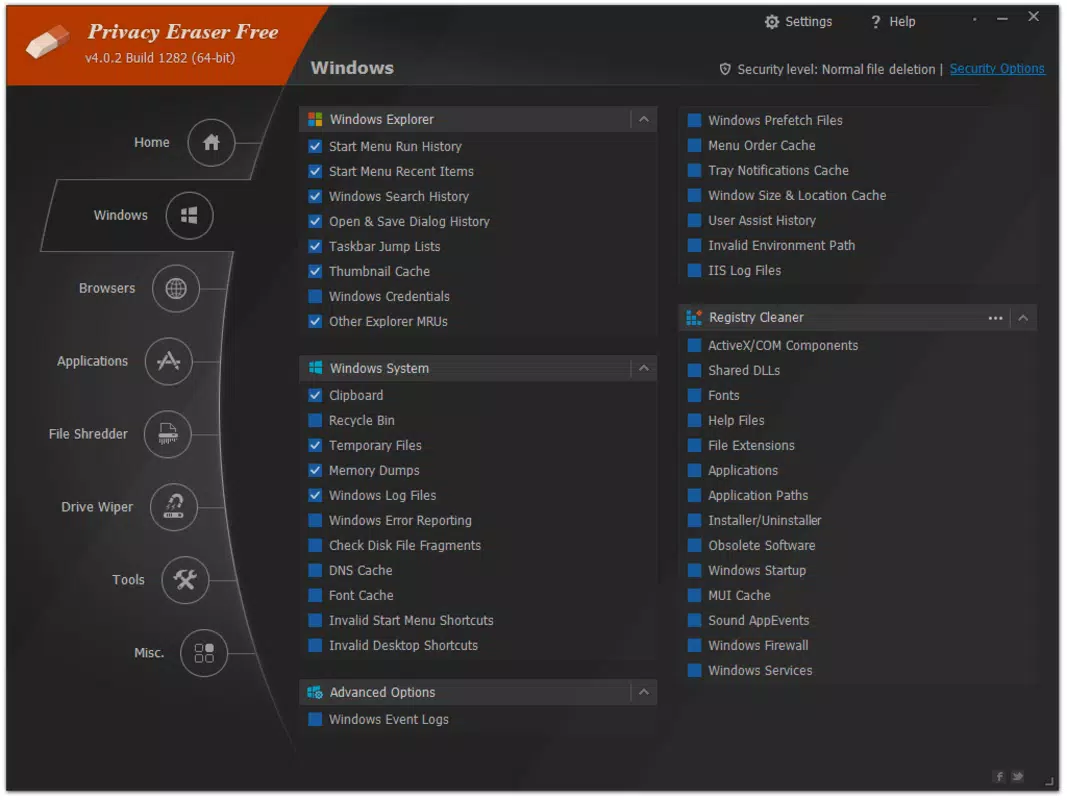
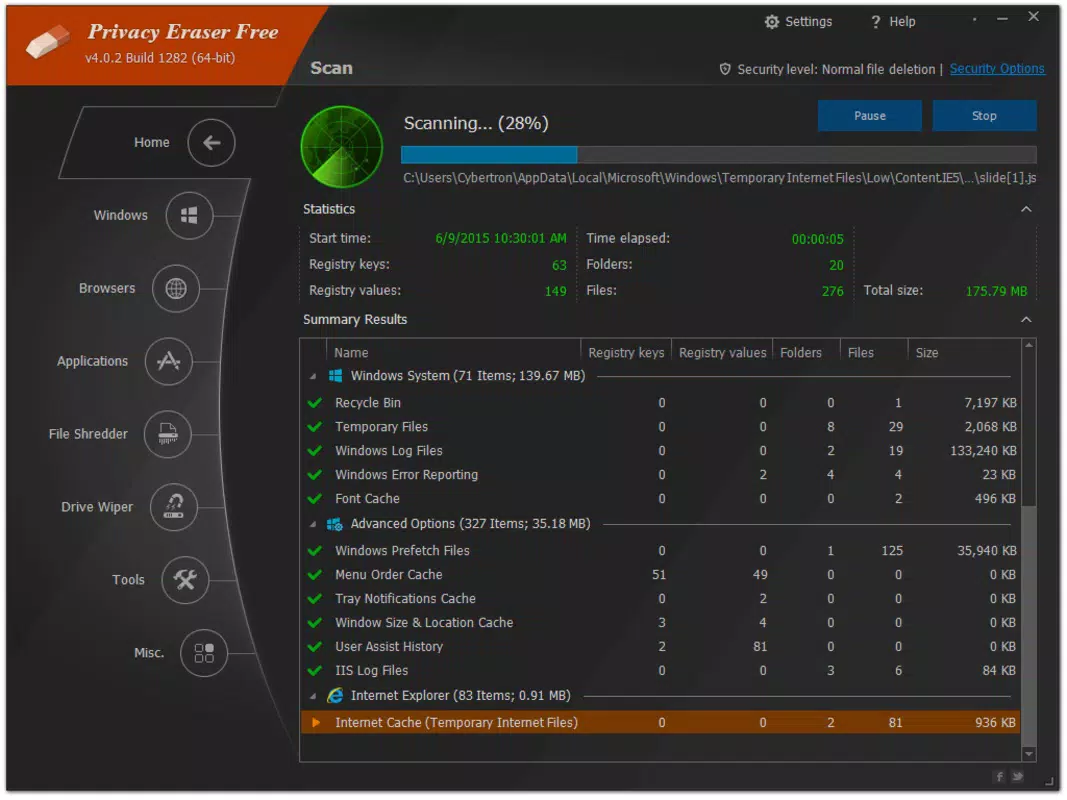
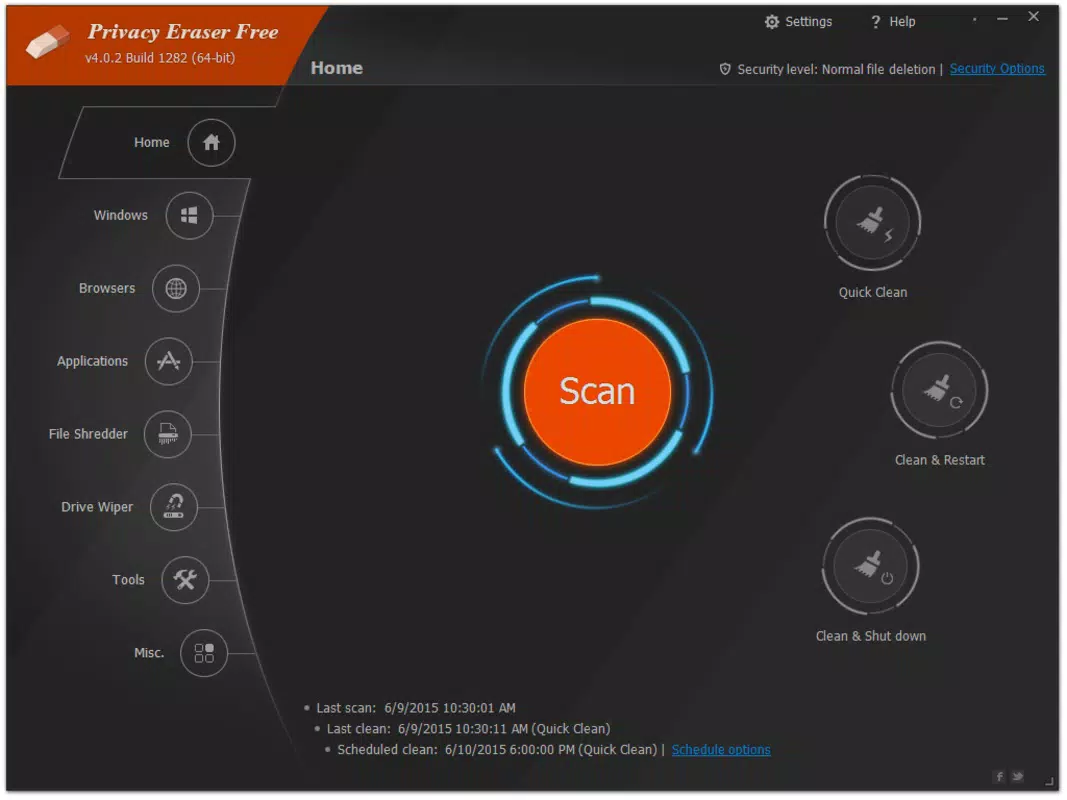
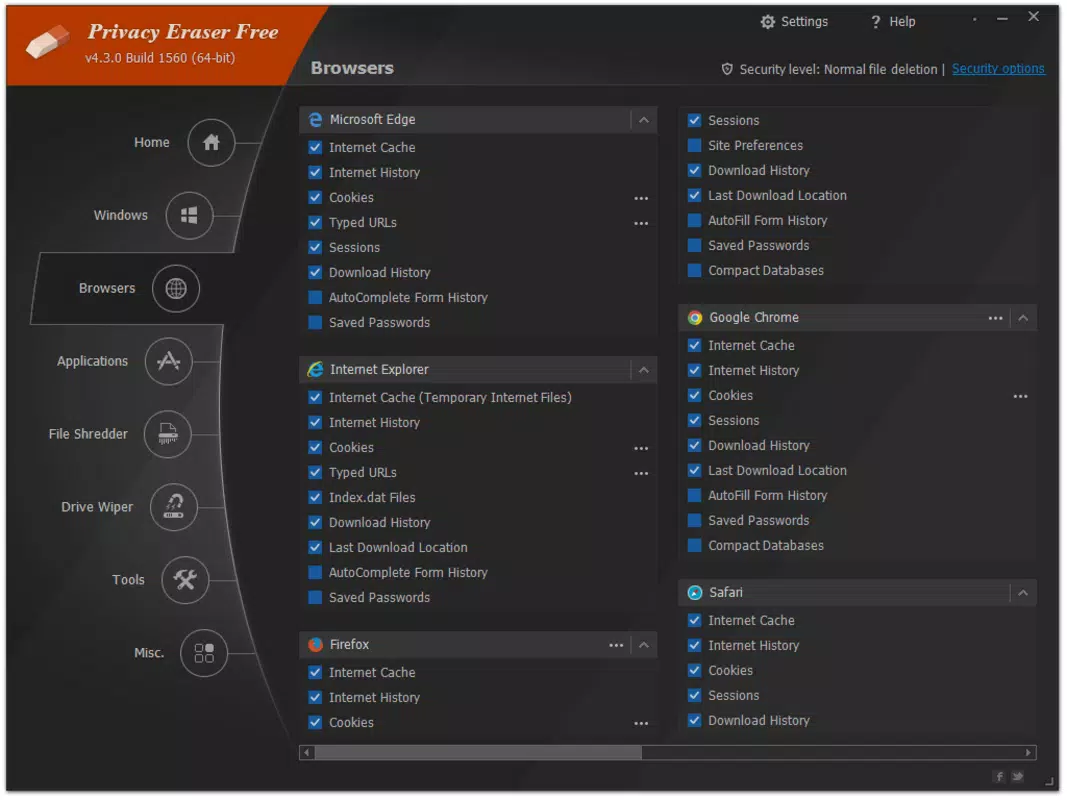
Privacy Eraser offers a suite of privacy-focused cleaning tools tailored to eliminate digital traces left behind during regular device usage. The core functionality centers on securely deleting browser history, cache files, cookies, temporary files, and recent document lists across various applications. This comprehensive cleanup ensures that no residual data remains accessible to unauthorized users. Each cleaning category can be selected independently, allowing users to customize the process based on their privacy needs—whether they wish to remove only browsing data or perform a full system clean. The app supports quick access via keyboard shortcuts, enabling users to trigger a cleanup with a single command, which enhances usability during time-sensitive situations. Additionally, users can schedule automatic cleaning sessions at regular intervals, promoting consistent privacy hygiene without manual intervention. This feature is especially beneficial for users who frequently switch between devices or use public terminals. The ability to selectively erase specific data types provides granular control, empowering users to maintain privacy without compromising essential app functionality. These features collectively support a proactive approach to digital security, making the app suitable for everyday use in both personal and professional contexts.Real-World Use Cases
- Clearing browser history before sharing a device with family members.
- Removing temporary files after completing sensitive financial or medical tasks.
- Scheduling automatic cleanups to maintain privacy on a shared work laptop.
- Preparing a smartphone for resale by erasing all traces of personal activity.
- Protecting data during travel by ensuring no local records remain after using public Wi-Fi.
Interface, UX & Performance
The user interface of Privacy Eraser is designed with simplicity and efficiency in mind. It features a clean layout with clearly labeled options, allowing users to navigate between different data categories—such as history, cache, cookies, and recent files—without confusion. The visual style is minimalistic, focusing on functionality rather than decorative elements, which contributes to faster load times and reduced cognitive load. Navigation is linear and intuitive, with a central dashboard that displays all available cleanup options in a single view. Users can toggle specific categories on or off, adjust settings, and initiate the process with minimal clicks. Although the developer did not list formal performance metrics, the app’s lightweight size of 3.4 MB suggests optimized resource usage. It is expected to operate smoothly on a range of devices, including lower-end smartphones, without significant lag or battery drain. Responsiveness is consistent across screen sizes, and the app maintains stability during and after cleanup operations. No reported crashes or freezes were mentioned in the provided data. The overall user experience reflects a balance between power and accessibility, making it suitable for users with varying levels of technical proficiency. The interface design aligns with modern mobile standards, emphasizing usability and privacy-first principles.Platform Compatibility & Technical Requirements
Privacy Eraser is available on the Windows platform and is compatible with the latest versions of the operating system. The app has a file size of 3.4 MB, which indicates a lightweight installation and minimal impact on storage. The current software version is 4.61, reflecting a stable and updated release. Specific OS requirements were not listed by the developer, so compatibility with older Windows versions cannot be confirmed. Similarly, no information was provided about minimum RAM, processor, or storage specifications. The app is offered free of charge, making it accessible to a broad audience. While the developer did not specify whether the app supports multiple languages or accessibility features, its straightforward design suggests broad usability. Users should verify compatibility with their specific device configuration before installation. The absence of detailed technical disclosures means that performance on certain hardware configurations remains unverified.Pros and Cons
- Lightweight design with minimal storage footprint (3.4 MB).
- Free to download and use with no hidden costs.
- Supports selective data deletion for precise privacy control.
- Offers scheduled cleaning for automated privacy maintenance.
- Simple, intuitive interface suitable for non-technical users.
- Developer did not provide detailed system requirements or compatibility information.
- No information on support for multiple languages or accessibility features.
- Platform availability limited to Windows; no mention of Android or iOS support.
- Performance on low-end devices was not tested or reported.
- Missing details on data encryption or secure deletion methods.
FAQ
Is Privacy Eraser safe to use on my device?
Yes, the app is designed to securely delete data without affecting system stability. However, users should ensure they are downloading from official sources to avoid unauthorized versions.
Can I schedule automatic cleanups?
Yes, the app allows users to set up scheduled cleaning sessions at regular intervals, ensuring consistent privacy protection without manual input.
Does Privacy Eraser work on Android or iOS?
The developer did not specify support for mobile platforms beyond Windows. As such, it is currently only confirmed for use on Windows devices.
What types of data can I delete?
You can delete browser history, cache files, cookies, temporary files, and recent document lists from various applications.
Is my data permanently erased?
The app uses secure deletion methods to remove data from storage. However, the exact technical implementation was not disclosed by the developer.


